
How to Make Money on Fiverr for Beginners (Step-by-Step Guide)

Hey! So you’re curious about how to make money on Fiverr, right? Maybe you’ve heard friends raving about people earning cash online or you just genuinely want to turn your skills into income. Either way, you’re in the right place.
Think of this as a chat with a friend who’s already been through the Fiverr hustle and learned a bunch of real-world lessons along the way. 😊
Whether you’re fresh-off-the-internet with zero experience or you’ve got some skills but no clue how to start selling them, this article will walk you through every step, from setup to getting paid. No fluff, no boring corporate talk — just practical advice you can use today.
Let’s go!
Watch This Beginner Fiverr Tutorial (Step-by-Step)
If you love step-by-step videos, this walkthrough shows how Fiverr works and what you’re about to read in action.
What is Fiverr (and Why Does It Matter?)
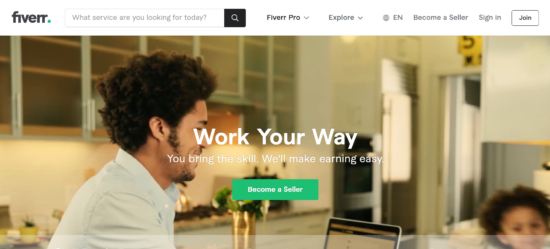
You might’ve heard about Fiverr but wondered what all the fuss is about. Well, Fiverr is a global freelance marketplace where people sell services — called “gigs” — online. These gigs can be anything from logo design to writing blog posts, video editing, voice-overs, social media help, and way more. People around the world literally pay others from $5 to hundreds of dollars for services here. (Shopify)
Ever wondered why it’s so popular? Honestly, it’s because anyone can start selling without fancy degrees or complicated setups.
Pretty cool, right?
Step 1 — Get Started: Create Your Fiverr Account
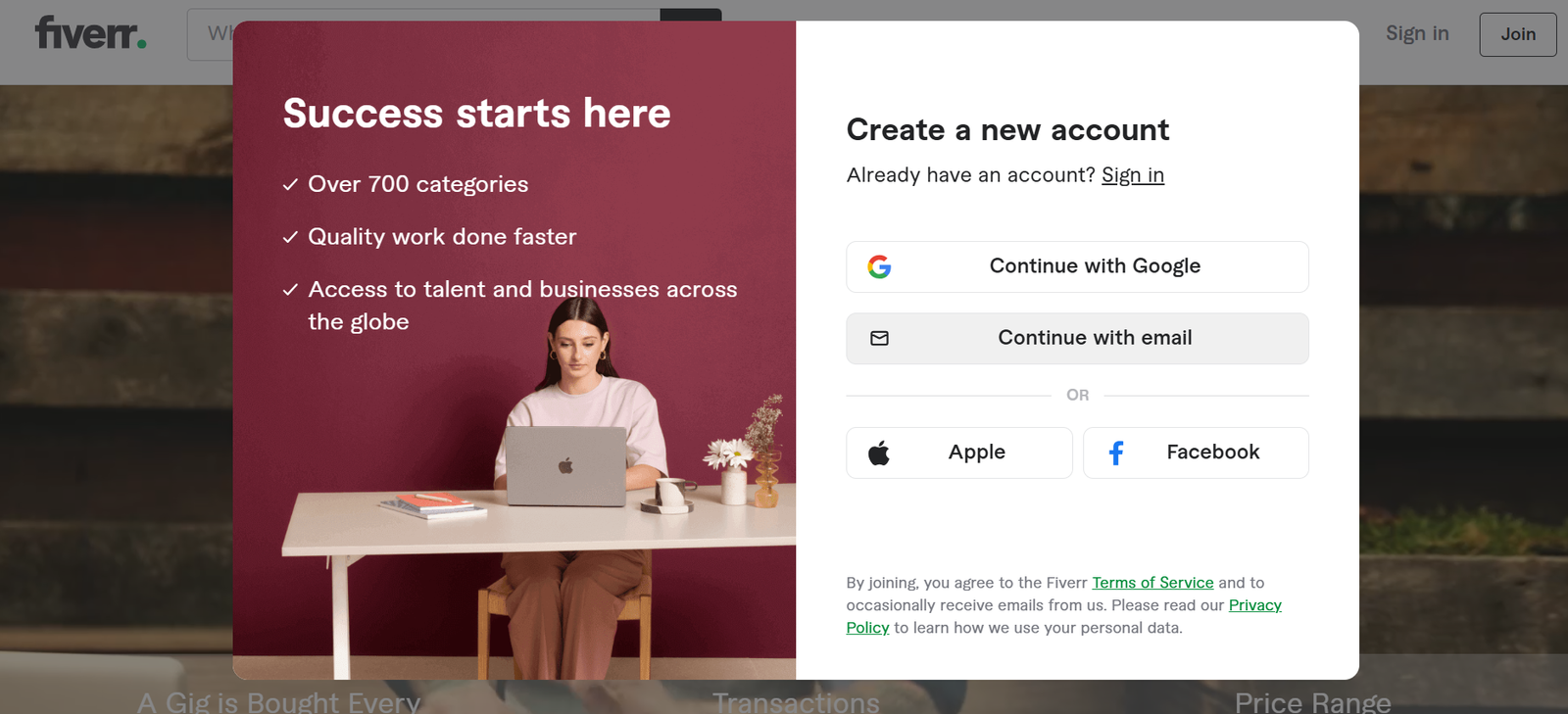
Alright, before you can earn that sweet freelance cash, you need an account.
Make Your Account
To kick things off:
- Visit the Fiverr website and click Join. (Fiverr.com)
- Sign up with your email, Google, or Facebook.
- Choose a username that actually sounds professional. (No nicknames like “bigboss123” — trust me.) 😊
This part is surprisingly quick, and once you confirm your email, you’re ready for the next step.
Step 2 — Polish Your Profile (Serious First Impressions)
Your Fiverr profile is basically your sales pitch. Buyers literally decide whether to trust you based on this.
Key Profile Tips
Here’s what you need:
- Professional photo: A clean headshot works best.
- Clear bio: Tell people who you are and what you do.
- Skills listed: Let people know what you’re good at.
- Language & rate: Be honest about what you can do and how fast you deliver.
Quick tip: Profiles that look complete get more attention.
Why? Because clients want confidence and clarity before spending money. No mystery profile pics please 😆.
Step 3 — Create Your First Gig (Your Money Maker)
Now we get to the good stuff: setting up your gig — aka your money-making listing.
What a Gig Is
A gig is simply the service you’re offering. Think of it like a mini job ad. You get one gig per service (you can add more as you go). (Fiverr.com)
How to Create a Gig
Here’s a simple checklist:
- Title: Make it clear & specific.
- Category: Pick the right area for your service.
- Description: Explain what you’ll deliver, how long it takes, and why you’re good at it.
- Packages: Offer Basic, Standard, and Premium options (optional but helpful!). (Fiverr Help Center)
- Tags: Use keywords people might search for.
- Gig Image: Use bright, professional visuals.
💡 Pro tip: Use real examples of work (or create mock examples if you don’t have clients yet).
Gig setups are honestly the most critical part of your Fiverr success — treat them like mini web pages built to sell. 🔥
Step 4 — Pick What You’ll Sell (Your Services)
Now comes the fun part — choosing what services you want to offer. Fiverr is literally full of gigs in hundreds of categories, from beginners to pros. (Shopify)
Here are some popular beginner services you can offer:
- 🎟 Graphic design — logos, social media banners
- ✍️ Writing & content — blog posts, product descriptions
- 🎧 Audio work — voice-overs, podcast editing
- 🎬 Video editing — YouTube clips, short reels
- 📌 Virtual assistance — admin tasks
- 🌐 Translation — language help
- 📊 Social media management
- 📋 Data entry or research
Some of these don’t even require professional training — basic tools and a little practice go a long way! (Medium)
Step 5 — Price Your Gigs Strategically
Pricing is honestly where a lot of newbies trip up.
Here’s the deal: Fiverr originally started with the idea that services cost $5. Today, sellers can charge way more based on experience and demand.
So how do you start?
Smart Pricing Tips
- Start at a competitive rate to get that first order.
- After you earn a few good reviews, raise your prices.
- Offer three packages if possible (Basic, Standard, Premium) — clients love choices. (Shopify)
Trust me, it’s better to start slightly lower and get noticed than start too high and watch people scroll past your gig. 😄
Step 6 — Get Your First Orders Faster
So your gig is live — awesome! But now comes the real game: getting orders.
The platform is crowded, so you need to stand out. But don’t worry — there’s a method.
Actionable Ways to Attract Buyers
Here’s what helps:
- Use strong keywords in titles & tags. Buyers search, Fiverr finds. (Fiverr Help Center)
- Add a video to your gig. Videos convert way better.
- Promote your gig externally — social media helps!
- Be quick to respond — Fiverr tracks responsiveness and rewards it. (Fiverr Help Center)
FYI, good reviews are gold. Once you get a few 5-star ratings, your gig climbs higher in searches.
How to Get Your First Fiverr Orders (Actionable Tips)
Struggling to land that first Fiverr order? This video gives practical steps you can apply today
Step 7 — Impress Clients & Get More Work
You don’t just want one order — you want repeating clients.
Pro Client Tips
- Communicate clearly and often.
- Deliver early if possible.
- Offer bonus extras occasionally.
- Request feedback after delivery.
- Follow up politely.
Sounds simple, but clients love sellers who act like professionals. It makes them feel confident investing in your work.
Step 8 — Withdraw Your Earnings (Get That Cash!)
So you’ve delivered work and clients paid — yay! But now how do you get paid?
Fiverr keeps your earnings in your Fiverr account until you withdraw. There are several ways to cash out depending on where you live, such as through PayPal, Payoneer, or direct bank transfer. (Wise)
Just go to your Earnings tab and choose your preferred method. Be sure to review any fees or processing times, of course.
Final Tips That Actually Work
Here’s what separates beginners from serious Fiverr earners:
🚀 Hustle Habits
- Stay consistent. Don’t vanish from your gigs — inactivity hurts visibility.
- Improve with feedback. If a client asks for revisions, take it as a chance to shine.
- Research competitors. Look at top gigs in your niche and see what they’re doing right.
- Use attractive visuals and clear titles. People judge books by covers — so make yours catchy! (Fiverr Help Center)
See? Not that scary when you break it down.
Conclusion — Your Fiverr Journey Starts Now
So here’s the real deal: making money on Fiverr as a beginner is totally doable with the right steps and effort. You don’t need a degree or fancy credentials — just clarity, consistency, and quality delivery.
You’ve learned how to:
✔ Set up your account
✔ Create gigs that sell
✔ Price smartly
✔ Attract and impress clients
✔ Get paid without hassle
Now here’s the fun part: go set up your first gig and start earning. After all, even big journeys start with tiny steps — and this one could literally earn you real dollars online. 😉
So… you ready to start your Fiverr hustle? 💪
📚 Must-Read Fiverr Resources (Extra Help for Beginners)
Here are some excellent resources to help you understand Fiverr better, grow your freelance skills, and succeed faster:
📌 Official Fiverr Guides & Blogs
Fiverr Business & Freelancing Guides – A collection of practical guides on freelancing basics, branding, and finding work. Fiverr Business Guides
Fiverr Freelancer Tips Blog – Fiverr’s official blog section with success tips, strategies, and case studies for sellers. Fiverr Freelancer Tips (Official Blog)
📌 Free Tutorials & Courses
Free Fiverr Tutorials & Courses List – A curated list of beginner-friendly tutorials and courses you can start with today. Free Fiverr Tutorials & Courses List
Getting Started with Fiverr (Project on Coursera) – A guided mini-course to help you set up your profile and first gig. Fiverr Beginner Project (Coursera)
📌 Helpful External Guides
How to Start Freelancing on Fiverr – Practical tips on starting in a new industry and gaining real experience. How to Start Freelancing with Fiverr (Fiverr Blog)
Beginner’s Buyer’s Guide (Fiverr Community) – Great perspective for understanding the buyer’s side, which helps you frame gigs better. Fiverr Buyer’s Guide
Quickstart Guides from Experts – More beginner-friendly success strategies for earning your first orders. Quickstart Guide to Fiverr Success
💡 Pro Tip
Bookmark these resources and revisit them as you grow on Fiverr — learning never stops. Some resources focus on how Fiverr itself works, others tell you how to attract clients, and a few even help you master related freelancing skills. Combining them will give you a serious edge as a beginner seller.