
10 Legit Data Entry Jobs From Home in 2026 — No Experience Needed

If you’re looking for a legitimate work-from-home job that doesn’t require a degree, years of experience, or customer service calls — data entry is one of the most accessible starting points available.
Data entry jobs are exactly what they sound like: you input information from one source into a computer system. No selling. No talking to customers. No specialised training required. Just focus, accuracy, and a willingness to show up consistently.
In this guide I’m covering 10 of the best data entry jobs and platforms hiring right now in 2026 — what they pay, how to get started, and what you realistically need to qualify. I’ve also included honest tips from my own experience working as a data entry specialist and transcriptionist on Fiverr.
Let’s get into it!
If you’re looking to earn income outside of traditional employment entirely — not just remote work — our 21 ways to make money without a job → covers data entry alongside every other accessible option.
💡 Want to start earning something today while you apply?
Data entry applications can take 1–3 weeks to process. In the meantime, Survey Junkie pays you for sharing your opinions through surveys — it’s one of the highest-rated survey platforms out there, with over 20 million members and payouts via PayPal or gift cards.
👉 Join Survey Junkie free and start earning →✅ Free to join ✅ No experience needed ⭐ Trusted by 20+ million members
What Is Data Entry and Who Is It For?

Data entry work involves inputting, updating, or processing information into computer systems, databases, or spreadsheets. Clients who need data entry include:
- Healthcare companies — entering patient records into systems
- Businesses — updating CRM databases, processing orders, managing records
- E-commerce companies — listing products, updating inventory
- Research organisations — compiling survey responses and study data
- Legal firms — processing case files and documentation
“Data entry is one of the most accessible starting points in our full Work From Home Jobs guide → — covering 31 remote opportunities across every skill level.”
Is data entry right for you?

Data entry is a great fit if you:
- ✅ Type accurately and at a decent speed (40+ WPM is a good starting point)
- ✅ Have good attention to detail
- ✅ Can work independently without much supervision
- ✅ Want flexible, self-paced work with no customer interaction
- ✅ Are comfortable working on a computer for extended periods
It’s less ideal if you:
- ❌ Type slowly — your earnings are directly tied to your speed and accuracy
- ❌ Get easily distracted — data entry requires sustained focus
- ❌ Need immediate high income — building speed takes time
What equipment do you need?
| Item | Required? | Notes |
|---|---|---|
| Computer or laptop | Yes | Desktop or laptop — not phone-friendly |
| Reliable internet | Yes | Standard broadband is fine |
| Keyboard | Yes | A comfortable full-size keyboard helps enormously |
| Microsoft Excel or Google Sheets | Helpful | Most data entry uses spreadsheets — both are free/cheap |
| Mouse | Recommended | Speeds up spreadsheet navigation significantly |
How Much Do Data Entry Jobs Pay?
Let’s be honest about what you can realistically earn:
| Experience Level | Hourly Rate | Monthly Earnings (Part-Time) |
|---|---|---|
| Complete beginner | $8–$12/hr | $300–$500 |
| Some experience | $12–$18/hr | $500–$900 |
| Experienced + fast | $18–$25/hr | $900–$1,500 |
| Specialised (medical/legal) | $20–$35/hr | $1,200–$2,000+ |
The honest reality: Data entry is solid supplemental or part-time income but rarely generates high full-time salaries at the general entry level. The biggest earning opportunity is in specialised data entry — medical records, legal data processing, and financial data entry all pay significantly more than general work.
Quick Comparison: Best Data Entry Platforms at a Glance
| Platform | Best For | Pay Range | Experience Needed | Fee to Join |
|---|---|---|---|---|
| FlexJobs | Finding vetted job listings | Varies by employer | None | Small subscription |
| Fiverr | Freelance data entry gigs | $5–$500+/project | None | Free |
| Upwork | Ongoing client relationships | $10–$30/hr | Helpful | Free |
| Clickworker | Micro data tasks | $0.05–$0.25/task | None | Free |
| Amazon MTurk | Micro tasks in volume | $6–$12/hr effective | None | Free |
| Axion Data Services | Home-based data entry | $10–$14/hr | None | Free |
| DionData Solutions | Contract data entry | $10–$15/hr | None | Free |
| Sigtrack | Political data entry | $0.04–$0.07/record | None | Free |
| Remotasks | AI data labelling tasks | $5–$20/hr | None | Free |
| Indeed/LinkedIn | Direct employer jobs | $12–$20/hr | Varies | Free |
👉 Keep reading for the full breakdown of each platform — what the work actually involves and how to get started.
⚡ Not sure which platform to start with? Here’s one you can start today.
Most data entry platforms require an application process. While you’re waiting, Swagbucks lets you earn real cash today with zero setup and a $10 welcome bonus for new members.
👉 Join Swagbucks free + claim your $10 bonus →✅ No experience needed ✅ Pays via PayPal or gift cards ⭐ Join free
🎁 Free Download: Remote Job Application Tracker
Before you start applying, grab the free tracker — it includes all 10 platforms, their pay ranges, and space to track your application status, interview dates, and follow-up notes.
Free, printable, and beginner-friendly. No spam, ever.
10 Best Data Entry Jobs From Home in 2026

1. FlexJobs — Best for Finding Legitimate Listings

Pay: Varies by employer ($12–$25/hr typical) Experience required: Varies by listing — many are entry-level Cost to join: Small subscription fee (~$9.95/month or $24.95/year)
FlexJobs is not a data entry company itself — it’s a curated job board where every listing is hand-screened by real humans to verify it’s legitimate. This matters enormously in the work-from-home space where scam job listings are everywhere.
What you’ll find on FlexJobs:
- Remote data entry positions at real companies
- Part-time and full-time roles
- Roles across industries including healthcare, finance, retail, and education
- Many entry-level positions with no prior experience required
Is the subscription fee worth it? Yes — if you’re serious about finding legitimate work-from-home employment. The fee eliminates scam listings completely and saves you the time of vetting dozens of questionable job posts yourself. You can cancel anytime once you’ve found a position.
How to get started: Visit FlexJobs.com, create an account, and use the search filters to find “Data Entry” + “Remote.” Apply directly to companies through their listings.
2. Fiverr — Best for Freelance Data Entry Gigs

Pay: $5–$500+ per project (you set your own rates) Experience required: None — you create your own profile Cost to join: Free
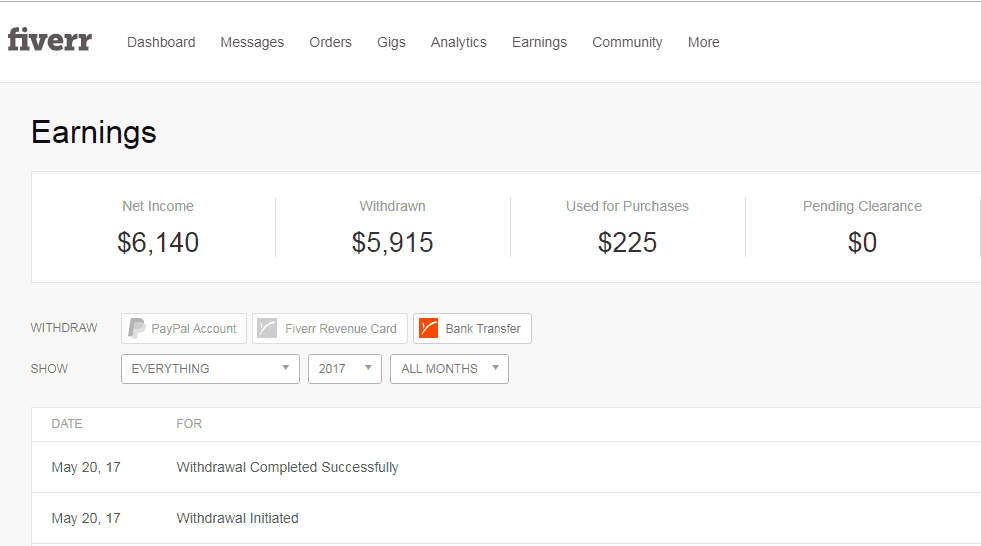
I personally worked on Fiverr for a number of years as both a transcriptionist and a data entry specialist — so I can speak from experience here. Fiverr connects freelancers with clients who need specific services, and data entry is consistently one of the most searched categories.
What data entry looks like on Fiverr:
- Copy-pasting data between spreadsheets or documents
- Converting PDFs to Excel or Word
- Web research and data compilation
- Product listing for e-commerce stores
- CRM data entry and cleanup
How to create a Fiverr data entry gig:
- Sign up for a free account at Fiverr.com
- Go to “Selling” → “Gigs” → “Create a New Gig“
- Title your gig clearly — e.g. “I will do accurate data entry, Excel work, or copy paste tasks”
- Set your packages — start at $10–$15 for basic tasks (don’t undersell yourself at $5)
- Add a clear description explaining what’s included
- Set a realistic delivery time — 2–3 days for most data entry projects
- Publish and start promoting
Getting your first client on Fiverr: The hardest part of Fiverr is getting those first reviews — clients prefer sellers with a track record. Offer a competitive rate at first to build reviews, then increase your prices as your profile grows.
3. Upwork — Best for Ongoing Client Relationships
Pay: $10–$30/hr for entry-level data entry Experience required: Some experience preferred but not required Cost to join: Free (with paid connects system)
Upwork is the world’s largest freelancing platform and a strong option for data entry workers who want to build longer-term client relationships rather than one-off gigs.
How Upwork works:
- Create a free profile highlighting your skills
- Browse available data entry contracts
- Submit proposals (“connects”) to jobs that interest you
- Clients review your proposal and invite you for a short test or interview
- Once hired, work is tracked through Upwork’s time-tracking software
- Get paid weekly via direct deposit or PayPal
Tips for getting started on Upwork:
- Complete your profile 100% — profiles with photos and complete work history get far more responses
- Start with lower rates ($10–$12/hr) while you build reviews — raise them after your first 5 reviews
- Apply only to jobs where your proposal is genuinely tailored — generic proposals get ignored
- Look for “Rising Talent” or entry-level listings specifically
4. Clickworker — Best for Flexible Micro Tasks
Pay: $0.05–$0.25 per task ($6–$12 effective hourly rate) Experience required: None Cost to join: Free
Clickworker is a German-based platform that hires workers worldwide for small, manageable micro tasks — including data entry, categorisation, surveys, and web research. You work whenever you want, for as long as you want.
What the work looks like:
- Categorising products or images
- Entering data into standardised forms
- Tagging content for AI training
- Web research and data verification
Honest earning potential: Clickworker won’t make you rich — the per-task rates are low. But for someone who wants completely flexible, zero-pressure work with no applications or interviews, it’s a legitimate starting point.
How to get started: Register at Clickworker.com, complete your profile, pass the available assessments (these unlock higher-paying tasks), and start accepting available jobs from your dashboard.
5. Amazon Mechanical Turk (MTurk) — Best for High-Volume Micro Tasks
Pay: $0.01–$0.50 per task ($6–$15 effective hourly rate) Experience required: None Cost to join: Free
Amazon MTurk is one of the oldest and most established micro-task platforms available. It hosts thousands of “Human Intelligence Tasks” (HITs) that require human judgment — including data entry, transcription, categorisation, and research.
What the work involves:
- Simple data entry and form filling
- Image categorisation and tagging
- Survey completion and data verification
- Product research and comparison
Honest assessment: MTurk has a learning curve — finding the best-paying HITs takes practice, and some tasks pay frustratingly little. Experienced workers who know which requesters to work for and which tasks to prioritise can earn $12–$15/hour effectively. Beginners typically earn less initially.
How to get started: Apply at MTurk.com with your Amazon account. Note that approval can take several days. Once approved, browse available HITs and start with higher-rated requesters.
6. Axion Data Services — Best Entry-Level Data Entry Company
Pay: $10–$14/hr Experience required: None — training provided Cost to join: Free
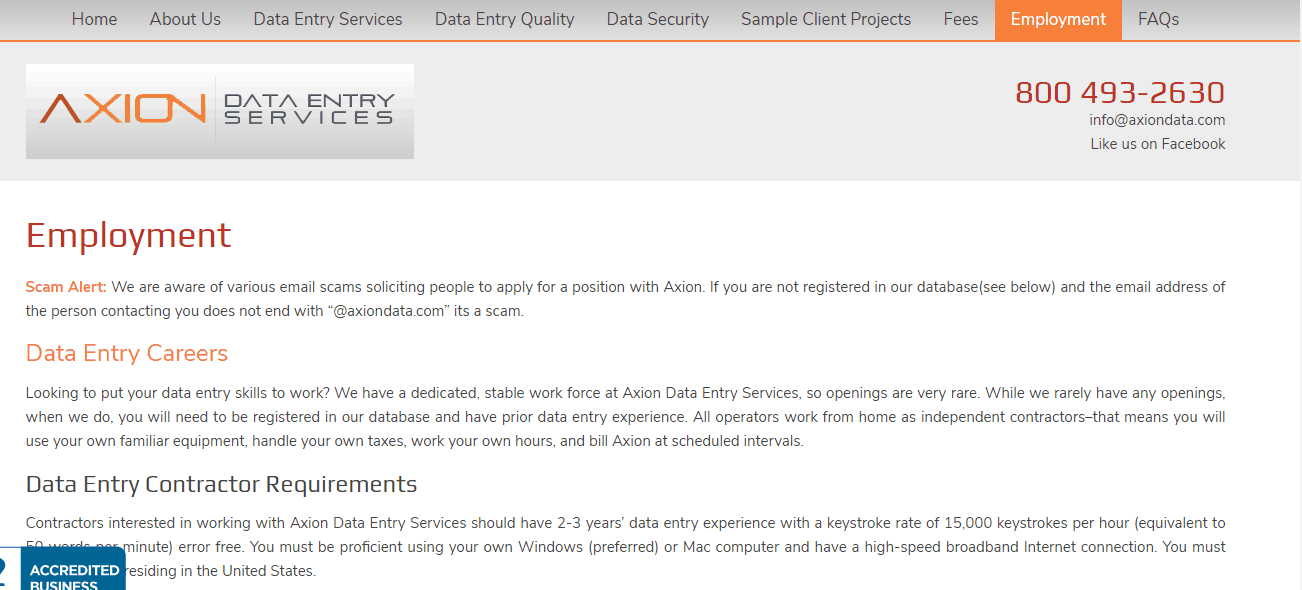
Axion Data Services is one of the most beginner-friendly dedicated data entry companies available. They hire home-based contractors for data entry projects across healthcare, insurance, and financial services.
What makes Axion stand out for beginners:
- No prior data entry experience required
- Training is provided
- Work-from-home from day one
- Flexible scheduling
- U.S.-based company with a solid reputation
How to apply: Visit AxionDataServices.com and check their careers page for current openings. Applications are straightforward — submit your details, complete a skills assessment, and wait for a response.
7. DionData Solutions — Best for Reliable Contract Work
Pay: $10–$15/hr Experience required: None Cost to join: Free
DionData Solutions has been providing data entry services since 1999 and is one of the most established remote data entry companies. They hire home-based contractors for both one-off projects and ongoing contracts.
Important note: DionData doesn’t always have open positions — hiring is project-dependent. Check their website regularly and apply as soon as you see openings. Positions tend to fill quickly when they do open.
How to apply: Visit DionData.com and check their “Work With Us” page. Have your resume ready and be prepared to complete a data entry accuracy test as part of the application.
8. Sigtrack — Best for Steady Workflow

Pay: $0.04–$0.07 per record processed Experience required: None Cost to join: Free
Sigtrack is a niche but consistent platform — they process voter registration and petition data for political organisations. The work involves verifying and entering information from scanned forms into their system.
What the work involves: You receive scanned images of forms and manually enter the information into Sigtrack’s platform. The work is repetitive and detail-oriented — accuracy is critical.
Honest earning potential: Pay is per record, so your earnings depend entirely on your speed and accuracy. Fast, accurate workers report earning $10–$15/hour effectively. Slower workers earn less. Most workers improve significantly within their first few weeks.
How to get started: Visit Sigtrack.com and complete the free registration and training. The onboarding process is short and you can start working within a day or two of signing up.
9. Remotasks — Best for AI Data Entry Work
Pay: $5–$20/hr depending on task type Experience required: None — free training provided Cost to join: Free
Remotasks is a fast-growing platform that hires workers for AI training data tasks — including data labelling, annotation, and quality control. As AI becomes more prevalent, the demand for this type of work is growing rapidly.
What the work involves:
- Labelling images, videos, and text for AI training
- Data annotation and categorisation
- Quality checking AI-generated outputs
- Audio transcription and classification
Why it’s worth trying: Some Remotasks specialisations — particularly 3D annotation and complex data labelling — pay significantly more than traditional data entry. The free training courses let you qualify for higher-paying tasks quickly.
How to get started: Visit Remotasks.com, create a free account, and complete the available training courses. More completed courses = access to higher-paying tasks.
AI data annotation is the fastest-growing and highest-paying data entry category in 2026. DataAnnotation.tech pays $14–$22/hr for the same core skills — significantly more than traditional data entry. Full guide: How to Make Money Using AI in 2026 →“
10. Indeed and LinkedIn — Best for Direct Employer Positions
Pay: $12–$20/hr (remote positions) Experience required: Varies — many entry-level positions available Cost to join: Free
Don’t overlook direct employer job listings on mainstream platforms. Companies like Amazon, UnitedHealth Group, Kelly Services, and countless smaller businesses regularly post remote data entry positions on Indeed and LinkedIn — often with better pay and benefits than freelance platforms.
How to find data entry jobs on Indeed:
- Go to Indeed.com
- Search: “Remote data entry” or “Work from home data entry”
- Filter by: Remote + Full-time or Part-time
- Apply directly through each company’s website
Search terms that work well:
- “Remote data entry clerk”
- “Work from home data entry specialist”
- “Virtual data entry”
- “Remote data processor”
- “Online data entry no experience”
How to make your application stand out:
- Include your WPM (words per minute) typing speed in your resume — test yourself free at Typing.com
- Highlight any spreadsheet experience (Excel, Google Sheets)
- Mention attention to detail and accuracy in your cover letter
- List any relevant software knowledge (QuickBooks, Salesforce, specific CRMs)
How to Improve Your Data Entry Skills (And Earn More)

The single biggest factor in your data entry earnings is typing speed and accuracy. Here’s how to improve both quickly:
Free typing practice tools:
- Typing.com — structured lessons from beginner to advanced
- Keybr.com — adaptive lessons that target your weakest keys
- 10FastFingers.com — timed typing tests to track your progress
Target speeds by income level:
- 40 WPM — minimum for most entry-level positions
- 60 WPM — solid for most data entry roles
- 80+ WPM — qualifies you for higher-paying positions and specialised work
Software skills worth learning:
- Microsoft Excel — used in virtually all data entry roles
- Google Sheets — free alternative, increasingly common
- Basic database software — useful for healthcare and finance roles
Both Excel and Google Sheets have free beginner courses on YouTube that take just a few hours to get comfortable with.
“Once your typing speed and accuracy are strong, transcription is the natural next step — it pays $10–$30/hr and uses the same core skills. Best Transcription and Proofreading Jobs in 2026 →“
Applications Taking a While? Earn While You Wait
Data entry applications often take 1–3 weeks to process and some platforms require you to complete assessments before you can start. In the meantime, don’t let that time go to waste.
⏳ Keep Earning While Your Applications Are Processed
Most data entry platforms and companies take 1–3 weeks to review applications and schedule assessments. That’s real time you could be earning something.
Swagbucks pays you to take surveys, watch videos, and shop online — completely free to join, and new members get a $10 welcome bonus just for signing up.
👉 Join Swagbucks free and claim your $10 bonus →✅ Free to join ✅ No experience needed ⭐ Trusted by 20+ million members
While your applications are processing, our 29 Best Side Hustles in 2026 → covers every way to earn money flexibly — from surveys to AI work to cash back apps.
Stack multiple sign-up bonuses while you wait — 19 sites that pay you just for joining → — Swagbucks, Ibotta, Nielsen, and more. Claim them all in one 20-minute session.
FAQ: Data Entry Jobs From Home
Do I need any experience to start a data entry job?
Most platforms on this list accept complete beginners — Clickworker, MTurk, Sigtrack, Remotasks, and Fiverr all have zero experience requirements. Company-based positions (Axion, DionData, direct employers on Indeed) may prefer some experience but often provide training. Your typing speed and accuracy matter more than your CV.
What typing speed do I need?
Most entry-level data entry positions require at least 40 words per minute (WPM) with high accuracy. Test your current speed free at Typing.com — and if you’re below 40 WPM, spend 15 minutes a day practising before you apply. Most people see significant improvement within 2–3 weeks.
Can I do data entry on my phone?
Not effectively — data entry requires a computer and keyboard. It’s not a phone-friendly job type. A laptop or desktop is essential.
How do data entry jobs pay?
Payment methods vary by platform. Fiverr and Upwork pay via PayPal or direct deposit. MTurk pays via Amazon gift card or bank transfer. Company positions pay via regular payroll. Most freelance platforms have a minimum payout threshold of $10–$20. Data entry at $18–$25/hr is a solid building block toward a bigger daily income goal. Here’s the full roadmap to $100/day online → — and where data entry fits into it.
Are data entry jobs legitimate or full of scams?
Legitimate data entry jobs definitely exist — but so do data entry scams. Red flags to watch for: any job that asks you to pay an upfront fee to access work, unrealistic pay promises ($50/hour for basic data entry), or requests for your bank details before you’ve done any work. Every platform on this list is legitimate and does not charge you to access work. Every platform in this guide has been verified. For the full list of legit websites that pay real money in 2026 → — including Clickworker, MTurk, and FlexJobs — see our complete verified platform guide.
Is data entry a good long-term career?
As a standalone role, data entry wages haven’t grown much with inflation. The better long-term strategy is to use data entry as a starting point — build your speed and computer skills, then transition into higher-paying roles like virtual assistant, bookkeeper, or data analyst. Many people use data entry to build their work-from-home track record while developing skills in parallel.
Can I do data entry alongside another job?
Absolutely — freelance platforms like Fiverr, Clickworker, and MTurk are completely self-paced. You work when you want and stop when you want. Many people do data entry as a side income alongside a main job.
Related Posts You’ll Find Helpful
- Top 10 Remote Customer Service Jobs Hiring Right Now → — if you want a structured remote job rather than freelance work
- 5 Transcription Jobs for Beginners (No Experience Needed) → — closely related skill set, often higher pay
- How to Make Your First $100 Online This Month → — data entry is one of the fastest methods
- Swagbucks Review 2026: Is It Actually Worth Your Time? → — earn between data entry sessions
- 31 Work From Home Jobs Hiring in 2026 → — the complete remote job guide across every category
Final Thoughts: Data Entry Is One of the Most Accessible Work-From-Home Starting Points 💪
In a landscape of online income methods that require big audiences, technical skills, or upfront investment — data entry stands out as something genuinely simple and accessible. You type what you see. You get paid. You improve your speed over time and your earnings grow with it.
It’s not glamorous and it won’t make you rich quickly. But it is real, legitimate, flexible work that you can start this week — and for many people, it’s the stepping stone that gets their work-from-home journey properly started.
Here’s your action plan right now:
- ✅ Test your typing speed free at Typing.com — know your starting point
- ✅ Download the free Remote Job Application Tracker above
- ✅ Sign up for FlexJobs to find vetted remote data entry listings
- ✅ Create a free Fiverr profile and publish your first data entry gig this week
- ✅ Register on Clickworker or Remotasks for immediate tasks with no application needed
- ✅ Sign up for Swagbucks to earn while your applications are being processed
Your first data entry paycheck could be in your account within two weeks. Let’s go!
Have you tried data entry work before? Or are you just getting started? Drop a comment below — I’d love to hear which platform you’re trying first!
Disclosure: This post may contain affiliate links. If you sign up through my links, I may earn a small commission at no extra cost to you. I only recommend platforms I genuinely believe in.