15 AI Tools to Make Money Online in 2026 (Beginners)

AI tools have genuinely changed what’s possible for beginners online — not because they do the work for you, but because they dramatically lower the skill barrier for work that used to require expensive expertise or years of practice.
Designing professional graphics used to require Photoshop skills. Now it takes Canva and 20 minutes. Writing a polished 1,000-word blog post used to take four hours. Now it takes 90 minutes with Claude handling the structure and draft. Creating a professional video used to require a camera, lighting, and editing software. Now it takes HeyGen and a script.
That’s the real opportunity with AI tools in 2026 — not magic passive income, but dramatically accelerated skill-based income.
I’m Virginia Nakitari. I’ve been covering legitimate online income since 2017 and I use AI tools in my own content business every week. In this guide I’m covering 15 AI tools that genuinely help beginners make money online — what each one does, what it costs, and exactly how to use it to earn.
💡 While your AI skills develop — Swagbucks pays from today.
New members get a free $10 bonus just for signing up — no AI skills required.
👉 Claim your free $10 Swagbucks bonus →✅ Free to join ✅ $10 in your account within 24 hours ⭐ PayPal or gift cards
The Honest Framework: How AI Tools Actually Help You Earn
Before the list — one important reframe.
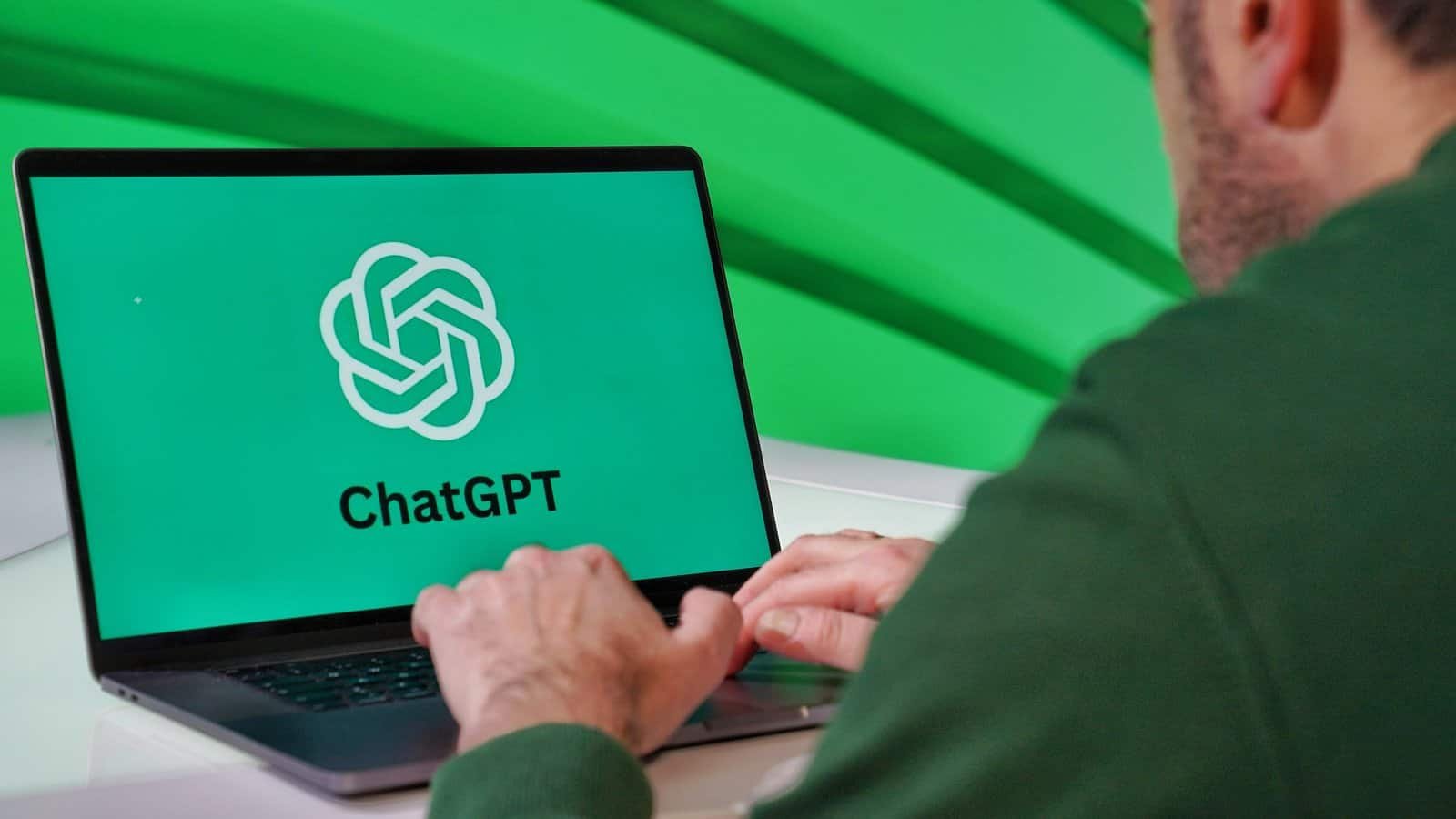
AI tools don’t generate income on their own. They make you faster, more capable, and more productive at work that earns money. The income comes from the work — the writing, the design, the video, the service. The AI tool is what makes that work faster and more achievable for a beginner.
The realistic income model:
- AI writing tool + Fiverr gig = faster article delivery, more clients served per day
- AI design tool + Etsy shop = professional-looking products without design training
- AI video tool + YouTube or Fiverr = professional video content without a camera
- AI transcription tool + Rev.com or Fiverr = faster transcription turnaround, more earnings per hour
The tool accelerates the skill. The skill earns the money.
At a Glance: 15 AI Tools for Making Money Online
| Tool | Best Use Case | Free Plan? | Monthly Cost |
|---|---|---|---|
| Claude | Writing, editing, product creation | ✅ Yes | $20/mo (Pro) |
| ChatGPT | Writing, Custom GPTs, content | ✅ Yes | $20/mo (Plus) |
| Canva | Design, digital products, social media | ✅ Yes | $15/mo (Pro) |
| HeyGen | AI video creation | ✅ Yes (limited) | $29/mo (Creator) |
| Jasper AI | Long-form content writing | ❌ Trial only | $49/mo |
| Copy.ai | Short-form copy, captions | ✅ Yes | $49/mo |
| Midjourney | AI image and art creation | ❌ No | $10/mo |
| Otter.ai | Transcription and meeting notes | ✅ Yes | $17/mo |
| Surfer SEO | SEO content optimisation | ❌ Trial only | $89/mo |
| Descript | Podcast and video editing | ✅ Yes | $24/mo |
| ElevenLabs | AI voice generation | ✅ Yes | $22/mo |
| Synthesia | AI avatar video courses | ❌ No | $22/mo |
| Pictory | Video from blog posts | ❌ Trial only | $23/mo |
| Notion AI | Productivity and writing | ✅ Yes (base) | $10/mo |
| Grammarly | Proofreading and editing | ✅ Yes | $12/mo |
🎁 Free Download — First $100 Online Blueprint
Not sure which AI tools to start with? This free guide gives you a 7-day action plan to your first $100 online — including AI-assisted income methods that work for beginners.
Free PDF. Instant download. No spam. Unsubscribe anytime.
🟢 Start With These: Free Plans Available
1. Claude — Best AI Writing and Thinking Partner
Free plan: Yes | Pro: $20/month | Best for: Writing, editing, digital product creation
Claude is the AI assistant I use most in my own content business. It’s made by Anthropic and is particularly strong for long-form writing, maintaining a consistent voice, and producing nuanced, thoughtful content rather than generic filler.
How to use it to earn money:
- Draft blog posts and articles for freelance writing clients on Fiverr
- Write the content for digital products (ebooks, planners, workbooks, email sequences)
- Generate Custom GPT instruction sets for products you sell on Gumroad
- Write YouTube video scripts for AI faceless channel content
- Edit and improve existing content for proofreading clients
Realistic income: A freelance writer using Claude can realistically triple their daily output — completing three 1,000-word articles in the time it used to take to write one. At $50/article, that’s potentially $150/day from the same working hours.
Free plan limitation: Usage limits apply — enough to test the workflow, but Claude Pro ($20/month) removes those limits for consistent client work.
💡 Full guide: How to Make Money Using Claude AI →
2. ChatGPT — Best for Custom GPT Products
Free plan: Yes | Plus: $20/month | Best for: Content, Custom GPTs, brainstorming
ChatGPT from OpenAI is the most widely known AI writing tool — and its Custom GPT builder (available on the Plus plan) creates a specific income opportunity that no other platform currently offers.
How to use it to earn money:
- Build Custom GPTs (specialised AI tools) and sell them as digital products on Gumroad or Etsy for $7–$47 each
- Generate content at scale for freelance writing clients
- Create social media caption packs in bulk for social media management clients
- Brainstorm product, niche, and content ideas faster
The Custom GPT opportunity: Sell access to a well-built Custom GPT (a Pinterest pin description writer, a meal planning GPT, a resume rewriting GPT) as a digital product. Build once, sell repeatedly.
💡 Full guide: How to Make Money Selling Custom GPTs →
3. Canva — Best for Digital Products and Design Services
Free plan: Yes | Pro: ~$15/month | Best for: Digital products, social media graphics, design gigs
Canva is the most income-generating AI-assisted tool on this list for complete beginners — because it requires zero design background and has multiple clear income paths.
How to use it to earn money:
- Design and sell Canva templates on Etsy, Gumroad, or Payhip (create once, sell indefinitely)
- Create social media graphic packages for clients on Fiverr
- Design ebooks, planners, and workbooks as digital products
- Offer resume formatting and design as a Fiverr gig
- Create Pinterest pins to promote your own blog or digital products
Realistic income from Canva template selling: A focused template creator publishing 30–50 quality templates on Etsy can earn $200–$1,500/month in passive sales within 3–6 months.
The free plan covers everything a beginner needs. Pro ($15/month) adds features worth upgrading to once you’re earning consistently.
💡 Full guide: 19 Hot-Selling Digital Products to Sell Online →
4. HeyGen — Best for AI Video Income
Free plan: Yes (limited credits) | Creator: $29/month | Best for: Fiverr video gigs, faceless YouTube
HeyGen lets you create professional spokesperson videos using AI avatars — no camera, no microphone, no video editing experience required. You write a script, choose an avatar, and HeyGen generates a polished video.
How to use it to earn money:
- Offer AI spokesperson video creation as a Fiverr gig ($30–$300 per video)
- Create faceless YouTube content at scale (Claude scripts, HeyGen produces)
- Make AI-generated explainer videos for small business clients
- Create video course content without appearing on camera
Realistic Fiverr income: A beginner HeyGen seller offering 60-second spokesperson videos at $35 per video can earn $200–$500/month in their first 2–3 months as reviews build.
👉 Try HeyGen free → | Create your video gig →
💡 Full guide: How to Make Money With HeyGen →
5. Otter.ai — Best for Transcription Income
Free plan: Yes | Pro: $17/month | Best for: Transcription assistance, meeting notes
Otter.ai generates automatic transcripts from audio and video — making it a productivity tool for freelance transcriptionists who also work on Rev.com or TranscribeMe. It produces a rough draft that you then clean up and format, cutting transcription time significantly.
How to use it to earn money:
- Use as a first-pass transcription tool to speed up Rev.com or Fiverr transcription work
- Offer transcription of client meetings, interviews, or podcasts directly
- Transcribe your own content for repurposing across platforms
The honest note: Otter.ai produces usable drafts, not submission-ready transcripts. Human review and editing is still required — but the time saved is significant for experienced transcriptionists.
6. Grammarly — Best for Proofreading Services
Free plan: Yes (core features) | Premium: ~$12/month | Best for: Proofreading and editing gigs
Grammarly catches grammar, spelling, punctuation, and style issues in written content. Combined with your own sharp editing eye, it makes you a faster and more thorough proofreader.
How to use it to earn money:
- Use alongside your human judgment for proofreading gigs on Fiverr
- Proofread client documents, blog posts, ebooks, and Amazon listings
- Edit your own freelance writing before delivery for consistently higher quality
The honest note: Grammarly catches surface-level errors but misses complex structural and consistency issues. It’s a tool that makes you faster — not a replacement for genuine proofreading skill.
👉 Take the free proofreading quiz →
7. Notion AI — Best for Productivity and Digital Products
Free plan: Yes (Notion base) | AI add-on: ~$10/month | Best for: Organising content, Notion templates
Notion with AI enabled helps you create, organise, and structure content faster. It’s also the foundation for a specific digital product: Notion templates, which sell consistently on Gumroad and Etsy.
How to use it to earn money:
- Create Notion templates (productivity systems, business planners, content calendars) and sell them as digital products
- Organise your freelance business, client deliverables, and content calendar
- Use Notion AI to draft sections of content and documents faster
⚡ Building AI income takes weeks — Swagbucks earns from today.
Stack surveys as your immediate income while your AI skills develop.
🟡 Worth Paying For: Subscription Tools With Strong Income ROI
8. Midjourney — Best for AI Art and Design Sales
Free plan: No | Basic: $10/month | Best for: Selling AI art, creating print-on-demand designs
Midjourney generates stunning AI images from text prompts — and AI-generated art has a genuine market on platforms like Etsy, Redbubble, and as stock images on Shutterstock.
How to use it to earn money:
- Create AI-generated art prints and sell as digital downloads on Etsy
- Design print-on-demand products (mugs, t-shirts, posters) using Midjourney images
- Create illustrations for ebooks, blog posts, or client content
Important note on commercial rights: Midjourney’s commercial usage rights vary by plan. Check your plan’s terms before selling generated images — Basic plan users have commercial rights for personal income under $1M revenue.
9. Jasper AI — Best for High-Volume Content Creation
Free plan: Trial only | Creator: $49/month | Best for: Freelance writers serving multiple clients
Jasper AI is a content creation tool specifically built for marketing and long-form content. It has templates for blog posts, product descriptions, email sequences, and social media content.
How to use it to earn money:
- Serve more freelance writing clients simultaneously by using Jasper for first drafts
- Create content packages for marketing agencies at scale
- Write product descriptions in bulk for e-commerce clients
The honest note on cost: At $49/month, Jasper only makes sense if you’re billing at least $500/month in writing income. Start with Claude’s free plan first — it handles most of what Jasper does at a lower cost.
10. Copy.ai — Best for Short-Form Copy and Captions
Free plan: Yes (limited) | Starter: $49/month | Best for: Social media captions, ad copy, email subject lines
Copy.ai specialises in short-form marketing copy — social media captions, email subject lines, ad copy, and product descriptions. Faster and more template-driven than Claude or ChatGPT for this specific use case.
How to use it to earn money:
- Offer social media caption writing packages on Fiverr ($50–$100 for a set of 15)
- Write email subject line packs for email marketing clients
- Create ad copy packages for small business owners
The free plan: Limited to 2,000 words/month — enough to test the tool but not enough for consistent client work.
11. ElevenLabs — Best for AI Voice Generation
Free plan: Yes (limited) | Starter: $22/month | Best for: Voiceover gigs, podcast intros, video narration
ElevenLabs generates realistic AI voiceovers from text — with enough voice variety and quality to serve professional voiceover clients.
How to use it to earn money:
- Offer AI voiceover services on Fiverr for explainer videos, ads, and audiobooks
- Create voiceovers for your own HeyGen videos without recording yourself
- Generate podcast intros and outros for clients
Important note on disclosure: Always disclose to clients that voiceovers are AI-generated. Most clients are comfortable with this — transparency avoids disputes.
12. Descript — Best for Podcast and Video Editing
Free plan: Yes (limited) | Creator: $24/month | Best for: Podcast editing gigs, video content
Descript edits audio and video by editing the transcript — you delete words in text to remove them from the recording. For podcast editors, this is a dramatic efficiency improvement.
How to use it to earn money:
- Offer podcast editing as a Fiverr gig — Descript makes you significantly faster per episode
- Edit client videos or create video content for YouTube channels
- Transcribe and repurpose audio content for clients
13. Synthesia — Best for AI Course Video Creation
Free plan: No | Starter: $22/month | Best for: Online course videos, training content
Synthesia creates professional video courses using AI avatars — no camera required. Particularly useful for course creators who want to package expertise into video format without appearing on screen.
How to use it to earn money:
- Create and sell online courses on Thinkific, Teachable, or Gumroad using Synthesia for all video content
- Offer AI video course creation as a service to other course creators
- Create training videos for corporate clients
The honest note: Synthesia at $22/month makes sense only if you’re actively producing video course content. For single video gigs, HeyGen ($29/month) is more versatile.
14. Pictory — Best for Video from Blog Content
Free plan: Trial only | Starter: $23/month | Best for: Repurposing blog content to video
Pictory converts blog posts and written content into short video clips automatically — useful for creating YouTube Shorts, TikTok content, or social media video from existing written content.
How to use it to earn money:
- Repurpose your own blog content into social media video without manual editing
- Offer “blog to video” content repurposing as a Fiverr service for bloggers
- Create YouTube Shorts from long-form YouTube content for clients
15. Surfer SEO — Best for SEO Content That Ranks
Free plan: Trial only | Essential: $89/month | Best for: SEO writers and content strategists
Surfer SEO analyses top-ranking pages for any keyword and gives specific recommendations on content structure, keyword density, and word count. It’s a professional content strategy tool.
How to use it to earn money:
- Charge premium rates for “SEO-optimised blog posts” to clients who know the difference
- Offer SEO content audits as a standalone service
- Produce content that ranks and drives organic traffic to your own affiliate blog
The honest note on cost: At $89/month, Surfer SEO is only justified for writers charging $75–$150 per article or running their own affiliate site generating meaningful traffic. It’s a professional tool, not a beginner starting point. Start with Claude and free keyword research tools (Google Search Console, Ubersuggest free plan) and upgrade to Surfer when your writing income justifies it.
How to Choose Your First AI Tool
With 15 options in front of you, the most common mistake is signing up for several simultaneously and using none of them properly. Here’s the decision framework:
If you want to freelance write: Start with Claude (free) + a Fiverr writing gig. Claude handles the drafting. Fiverr brings the clients. No upfront cost.
If you want to create digital products: Start with Canva (free) + Gumroad (free) + Claude (free). Three free tools, zero cost, functional digital product store within a week.
If you want to do AI video creation: Start with HeyGen (free plan for a few videos) + Fiverr. Test with the free credits. Upgrade to the $29/month Creator plan once your first orders are coming in.
If you want to do proofreading: Start with Grammarly (free) + the Proofread Anywhere quiz + a Fiverr proofreading gig. Upgrade Grammarly to Premium once your proofreading income consistently covers the cost.
The principle: start free, test with real client work, upgrade only when the income justifies the cost.
⚡ AI tools pay off over time — Swagbucks pays right now.
FAQ: AI Tools to Make Money Online
Which AI tool is most worth paying for as a beginner?
If you’re choosing one paid AI tool, Claude Pro ($20/month) or ChatGPT Plus ($20/month) offer the best return for beginner freelancers and digital product creators. Both dramatically accelerate writing, content creation, and product development at a cost that even one Fiverr order covers. Canva Pro ($15/month) is the best value for visual creators — but the free plan genuinely covers most beginner needs, so upgrade only when you’ve proven your design income covers the cost.
Can I really make money with free AI tools only?
Yes — Claude free, Canva free, ChatGPT free, Grammarly free, and Otter.ai free together cover writing, design, digital product creation, proofreading assistance, and basic transcription. The limitations are usage caps and reduced features, not fundamental capability gaps. Many beginners earn their first $200–$500 using entirely free tools before upgrading any of them.
How long does it take to start earning with AI tools?
The AI tool itself doesn’t create the timeline — your chosen income method does. A Fiverr writing gig using Claude can produce a first order within 1–3 weeks of the gig going live. A Canva template shop on Etsy typically sees first sales within 2–6 weeks. HeyGen video gigs on Fiverr typically produce first orders within 1–3 weeks. The AI tools make you faster once the orders come — they don’t make the orders come faster.
Are AI-assisted freelance services allowed on Fiverr?
Yes — Fiverr permits AI-assisted work in most service categories. The key distinction is AI-assisted (you use the tool to draft and speed up your work, then edit and deliver a polished final product) versus unedited AI output (pasting raw output directly without review). Always read Fiverr’s current AI policy and disclose your process if a client asks directly. Most clients care about the quality of the deliverable, not the specific tools used to create it.
What’s the single most impactful AI tool for online income?
For ESOC’s audience of beginners, Canva is consistently the highest-impact tool — because it enables digital product creation (Canva templates, planners, ebooks, social media graphics) with zero design background, at zero cost. The income paths from Canva are numerous and well-documented. Claude is a close second for writers and content creators. HeyGen is the most exciting for anyone interested in AI video income specifically.
Related Posts
- 🤖 How to Make Money Using Claude AI → — the complete Claude income guide
- 🎬 How to Make Money With HeyGen → — the complete AI video income guide
- 💡 How to Make Money Selling Custom GPTs → — building AI products with ChatGPT
- 🤖 AI Side Hustles That Actually Pay → — every AI income method with honest timelines
- 🎨 19 Hot-Selling Digital Products to Sell Online → — AI-built products that sell
- 💰 Best Ways to Make Money Online in 2026 → — where AI tools fit in the complete income map
Final Thoughts: The Tool Is the Accelerator, Not the Income
Every AI tool on this list makes something faster, easier, or more achievable for a beginner. None of them generate income on their own.
The income comes from the writing you deliver to Fiverr clients. From the templates you list on Etsy. From the videos you create for YouTube or for paying customers. The AI tool compresses the skill gap that used to take years to close.
Start with one free tool matched to one income method. Use it consistently for 60 days. Then evaluate whether an upgrade makes sense based on what you’re actually earning.
Your action plan right now:
- ✅ Try Claude free — your AI writing and drafting partner → Try Claude free →
- ✅ Try Canva free — design, digital products, social media → Try Canva free →
- ✅ Try HeyGen free — AI video with no camera → Try HeyGen free →
- ✅ Create your Fiverr gig — turn your AI-assisted skill into income → Create your gig →
- ✅ Read the full AI income guide → AI Side Hustles That Actually Pay →
- ✅ Earn while your AI skills build → Join Swagbucks + claim your $10 →
Which AI tool are you starting with? Drop a comment below — I’d love to know and I’m happy to suggest the fastest income path for your specific tool choice.
Disclosure: This post contains affiliate links. If you sign up through my links I may earn a commission at no extra cost to you.